

One issue with the PlayStation VR2 is that, like its predecessor, it has been locked behind its respective PlayStation console ecosystem – in this case the PlayStation 5. While there is a healthy assortment of well developed games for the PS VR2 specifically, the number ultimately pales in comparison to the broader and vibrant PC-exclusive development community for virtual reality games. Sony Interactive Entertainment has confirmed that as of 7 August 2024, the borders will be crossed, and PC support will be coming to the PlayStation VR2 on 7 August 2024.
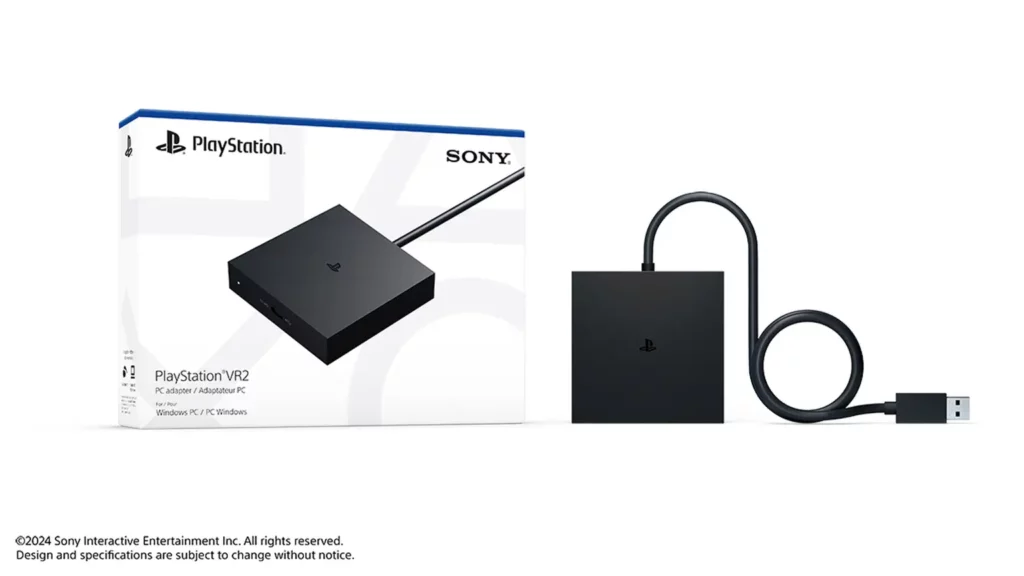
This support isn’t 100% native, and will instead require the purchase of a PlayStation VR2 PC adapter, which will be available from select retailers for a RRP of $94.95 AUD or local equivalent. Players will also need a DisplayPort cable (sold separately) that is compatible with DisplayPort 1.4, as well as a Steam account.
The Steam account requirement comes because support will be for the thoughts of VR games offered on the Steam library, including Half-Life: Alyx, Fallout 4 VR, War Thunder and countless more which have remained PC exclusive.
Sony Interactive Entertainment has shared the following minimum requirements for the PS VR2, with the caveat that better specifications will leverage a better experience overall, in addition to each game’s own individual requirements.
| Operating system | Windows 10 64-bit / Windows 11 64-bit |
| Processor | Intel Core i5-7600 / AMD Ryzen 3 3100 (Zen 2 or later architecture is required) |
| RAM / memory | 8 GB or more |
| GPU / graphics card | -NVIDIA GeForce GTX 1650 or later (Turing or later architecture is required)-NVIDIA RTX series-AMD Radeon RX 5500XT or later / AMD Radeon RX 6500XT or later(For the best performance, we recommend that you use an NVIDIA GeForce RTX 3060 or later or AMD Radeon RX 6600XT or later graphics card) |
| DisplayPort | DisplayPort 1.4 (must have a standard DisplayPort or Mini DisplayPort output port) |
| USB | Direct connection only |
| Bluetooth | Bluetooth 4.0 or later** |
According to Sony Interactive Entertainment:
Setup is easy: simply connect PlayStation VR2 to your PC using the PS VR2 PC adapter and the DisplayPort 1.4 cable. Then, download the PlayStation VR2 App and the SteamVR App from Steam. This will allow you to set up PS VR2 on your PC, customise your settings and play area, and start purchasing and playing games in SteamVR.
Furthermore, SIE has stated that the PlayStation 5 will still be the best place to play games on the PlayStation VR2, namely due to its console-specific features such as HDR, headset feedback, eye tracking, adaptive triggers, and haptic feedback (other than rumble) which are system-specific. However, other features including 4K visual support, 110-degree field of view, finger touch detection, and see-through view, as well as foveated rendering (without eye tracking) and 3D Audio will be brought across provided individual games support them.
Overall, if you are like me, happily own a PlayStation VR2 unit but don’t have the space to own multiple VR headsets and have been looking for a chance to consolidate, this may be a solid opportunity. You can read my full review of the PlayStation VR2 in my first impressions launch review.

